
Automations
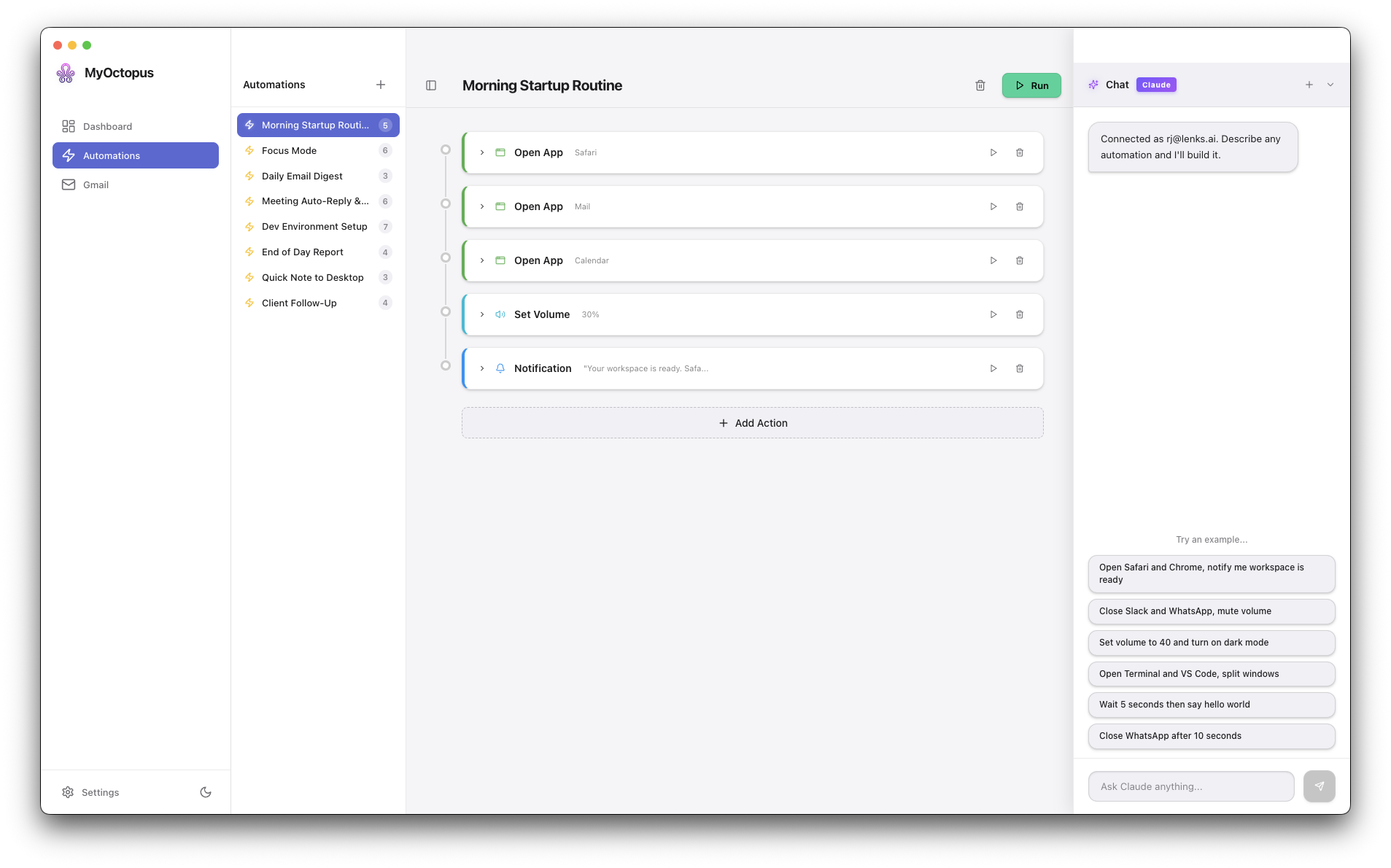
Automations are sequences of actions that MyOctopus executes in order. Each action has a type and configuration.
Available Actions
| Action | Description | Example |
|---|---|---|
| Open App | Open or activate a macOS app | Open Safari |
| Close App | Quit a macOS app | Close Slack |
| Notification | Send a macOS notification | Alert with sound |
| Open URL | Open a URL in default browser | Open google.com |
| Shell Command | Run a terminal command | Say "hello" |
| Set Volume | Set system volume (0–100) | Mute (0) |
| Toggle Dark Mode | Toggle system dark mode | Switch theme |
| Arrange Windows | Split windows left/right | Split layout |
| Type Text | Type text via keystroke | Type a message |
| AppleScript | Run custom AppleScript | Complex automation |
| Gmail Fetch | Fetch emails from inbox | Search emails |
| Gmail Send | Send an email | Reply to sender |
| AI Generate | Generate text with Claude | Summarize emails |
| Calendar List | List calendar events | Today's events |
| Calendar Create | Create a calendar event | Add meeting |
| Calendar Find Slots | Find free time slots | Available times |
| Browser Action | Automate Chromium browser | Fill a web form |
| Wait | Pause between actions | Wait 5 seconds |
Template Variables
Actions can reference results from previous steps using double-curly-brace syntax:
| Variable | Description |
|---|---|
{{actions.stepId.emails}} | Emails from a Gmail Fetch step |
{{actions.stepId.text}} | AI-generated text from an AI Generate step |
{{actions.stepId.pageText}} | Browser page text |
{{actions.stepId.stdout}} | Output from a shell command |
{{trigger.email.subject}} | Subject from an email trigger |
{{trigger.email.from.address}} | Sender from an email trigger |
{{now}} | Current ISO timestamp |
{{localDate}} | Human-readable date |
{{localTime}} | Current local time |
Creating Automations
Via Chat
Type a natural language command in AI Chat:
"open Safari, go to news.ycombinator.com, and read the page"
MyOctopus generates the automation automatically.
Via Automation Builder
Use the visual builder to add actions step by step:
- Click New Automation from the Automations view
- Add actions from the action type dropdown
- Configure each step
- Click Save to store, or Run to execute immediately
Composable Patterns
Chain actions to build powerful workflows:
- Email summary: Gmail Fetch → AI Generate ("Summarize these emails") → Notification
- Web scraping: Browser Action (navigate + read page) → AI Generate ("Extract key info")
- Smart reply: Gmail Fetch → AI Generate ("Draft a reply") → Gmail Send
- Meeting prep: Calendar List → AI Generate ("Summarize today's meetings") → Notification
See Preset Templates for ready-to-use examples of these patterns.